
Mitel One
Unifying Chat, Telephony & Video for Enterprise
I led UX for Mitel One, a unified enterprise communications platform combining voice, messaging, and video across iOS, Android, web, and desktop. The goal was to simplify fragmented communication workflows while preserving enterprise telephony requirements across cloud and on-premises environments.
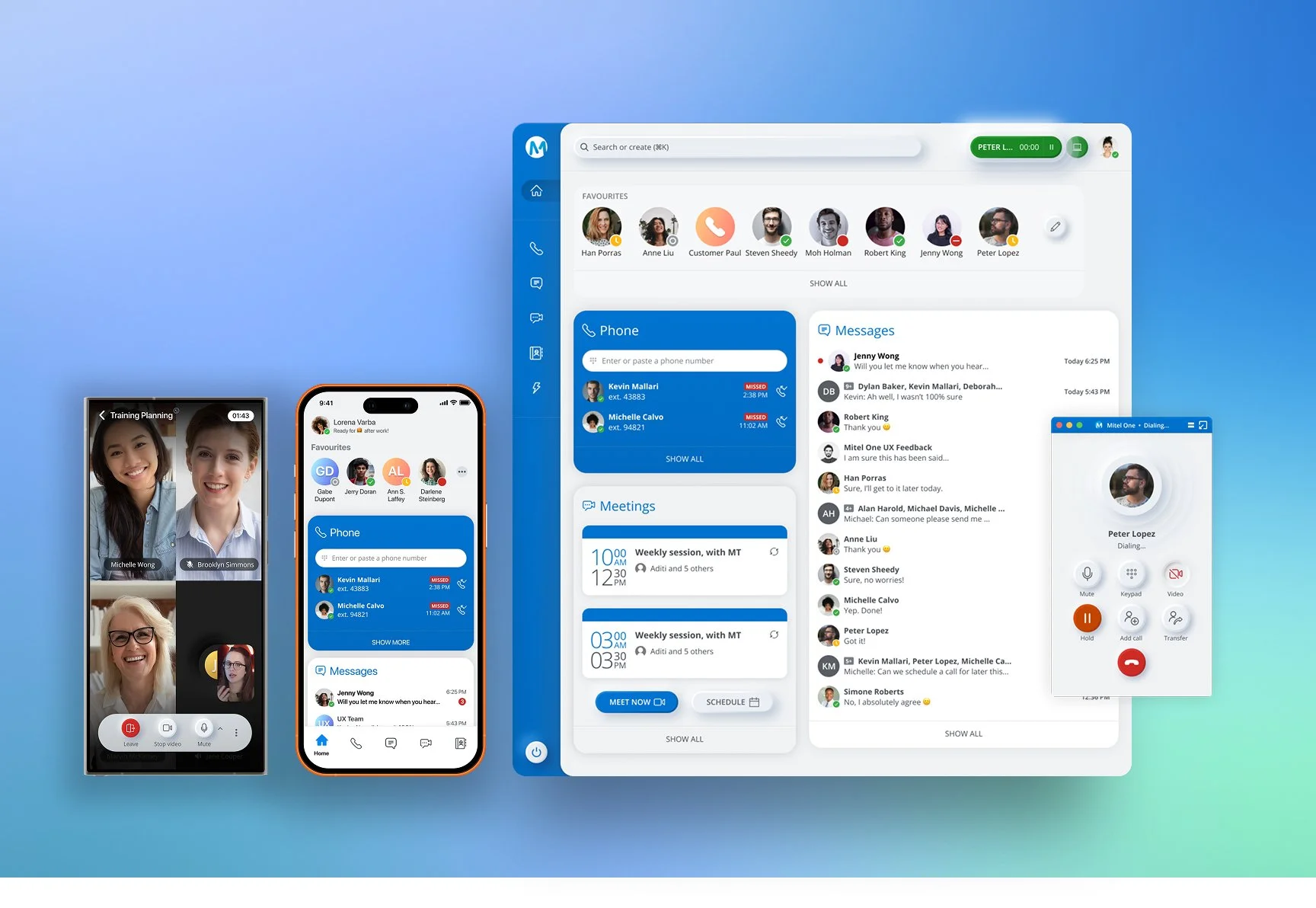
Cross-Platform UX Leadership
I owned the end-to-end UX experience during the first eight months and served as the sole Product Designer at launch. I defined the MVP scope, established core interaction patterns, and designed the product's UI system and component library.
As the team expanded, I collaborated with product managers, engineers, and sales stakeholders, and mentored three junior designers. My work covered product strategy, UX research, interaction design, cross-platform consistency, and design-system development.
My Role & Ownership
Owned the end-to-end UX experience during the first 8 months
Sole Product Designer at launch
Partnered directly with founders and one PM
Led and mentored 3 junior designers
Defined MVP scope and product roadmap
Designed the UI system and interaction model
Built a scalable component library
Directed key product flows and visual decisions
Context & Challenge
Mitel's communication capabilities were fragmented across separate chat, telephony, and video products. Enterprise customers needed a more unified experience without losing essential phone functionality or support for cloud, on-premises, and contact-center environments. The challenge was to simplify the experience while supporting different user needs and multiple platforms.
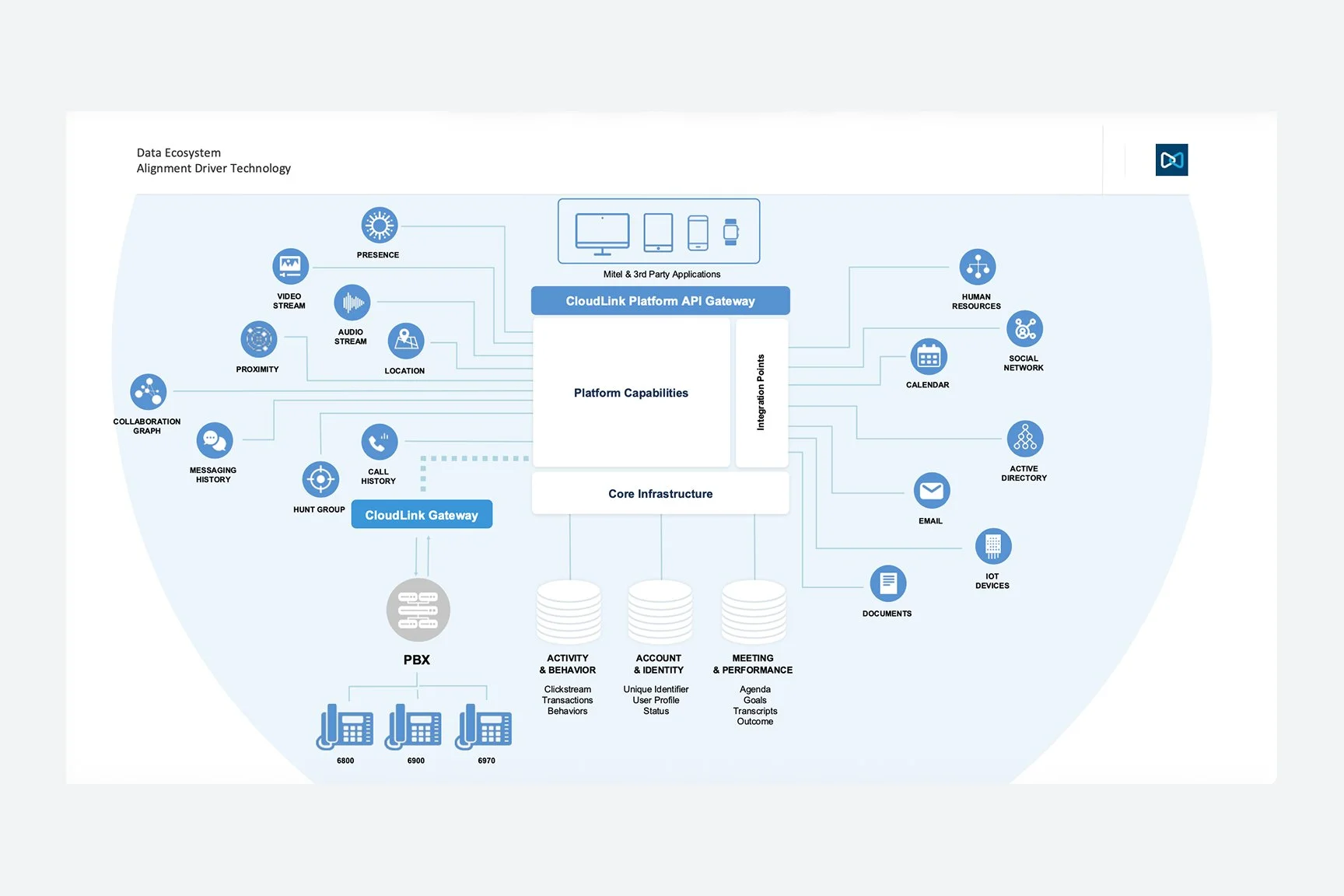
Ecosystem map — on‑prem vs cloud vs contact center
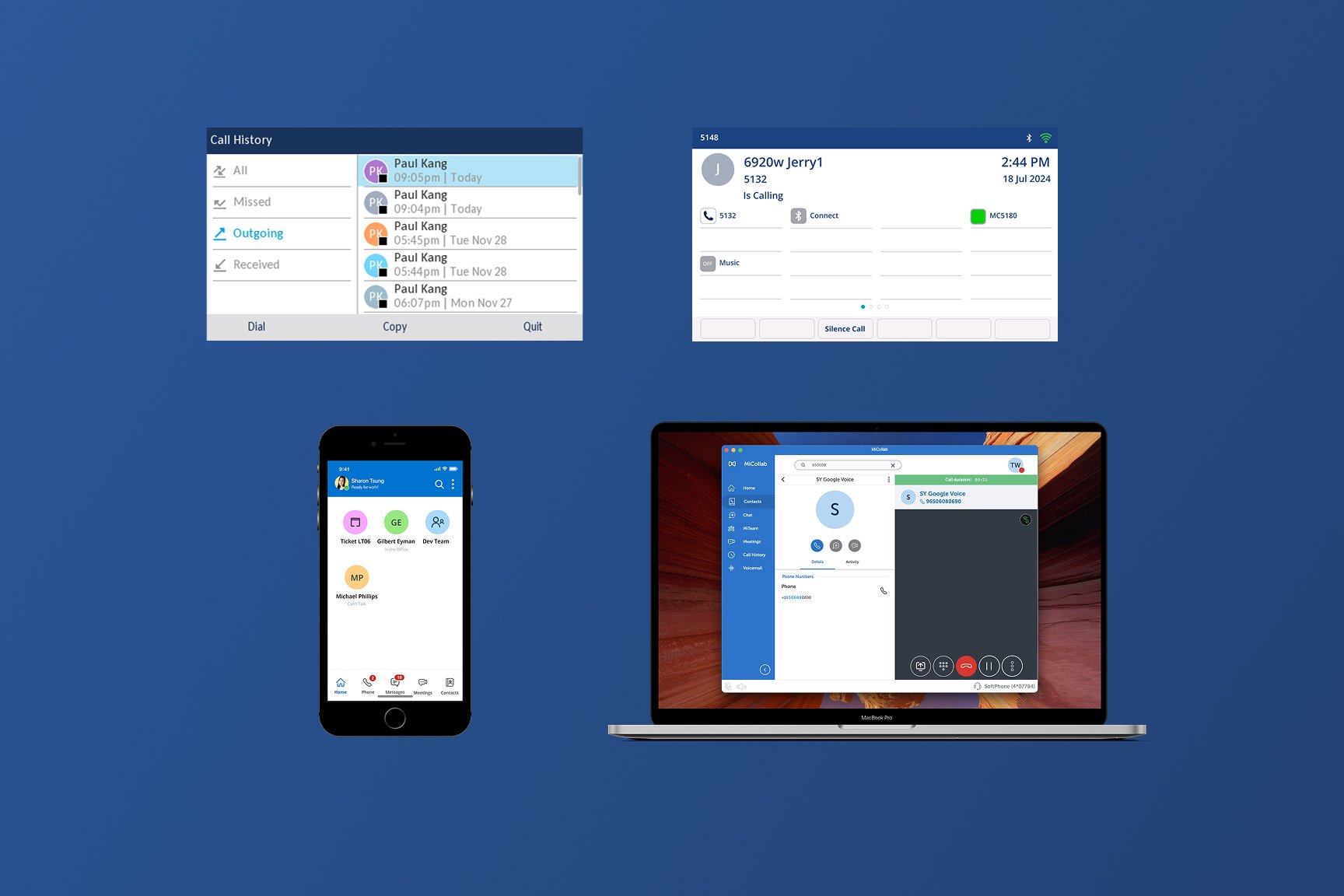
SKU fragmentation — before state
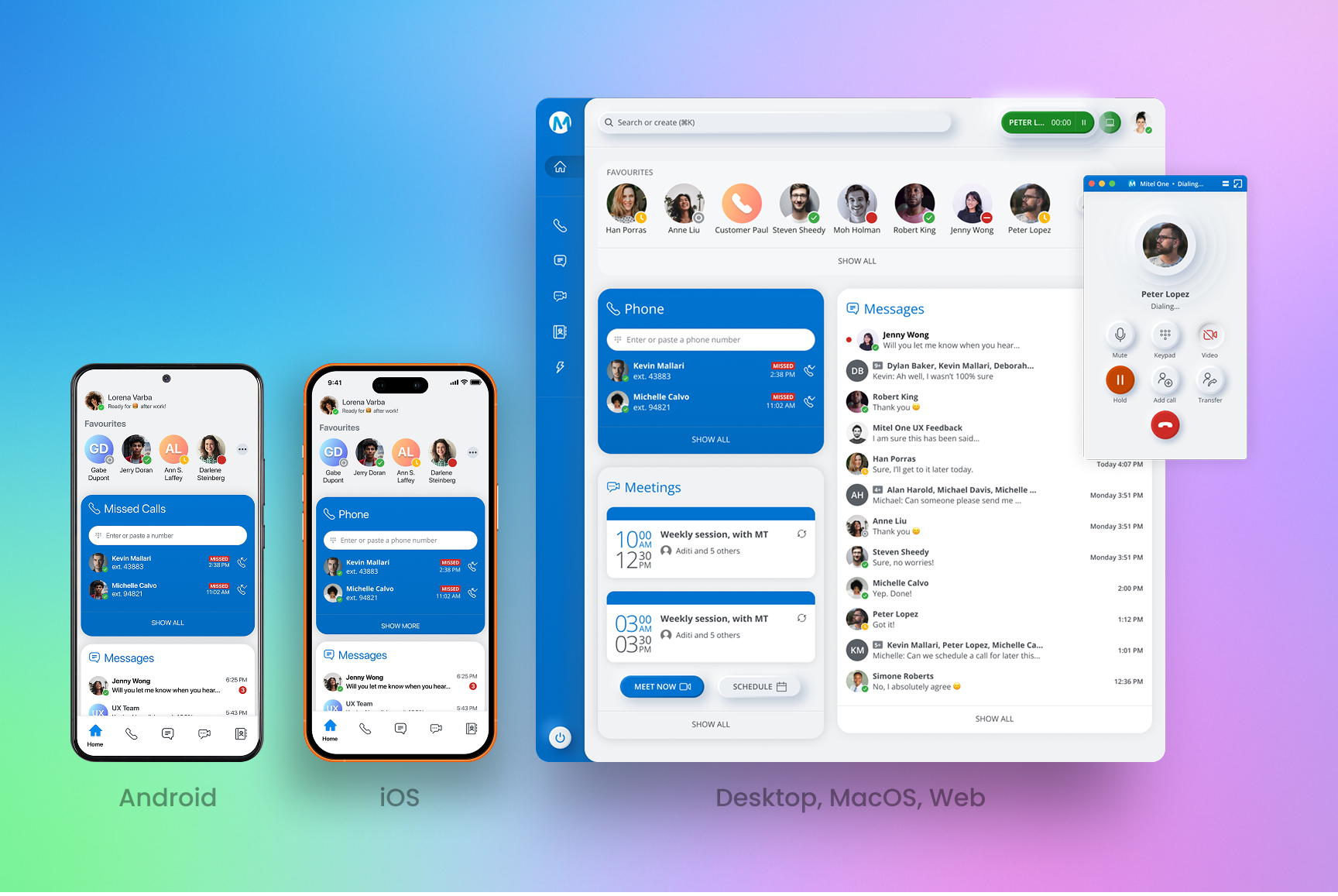
Unified target state — after
Research → Strategy
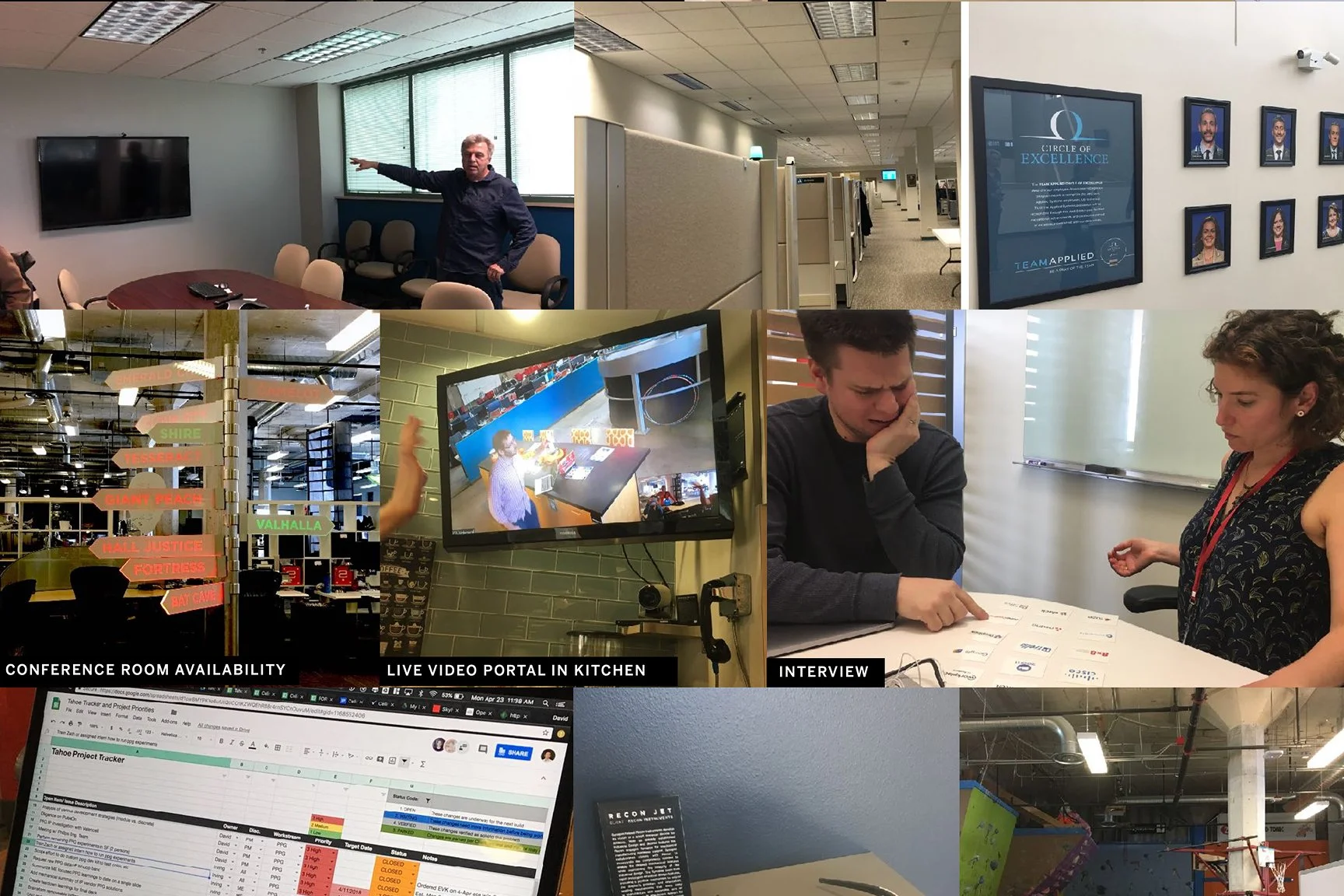
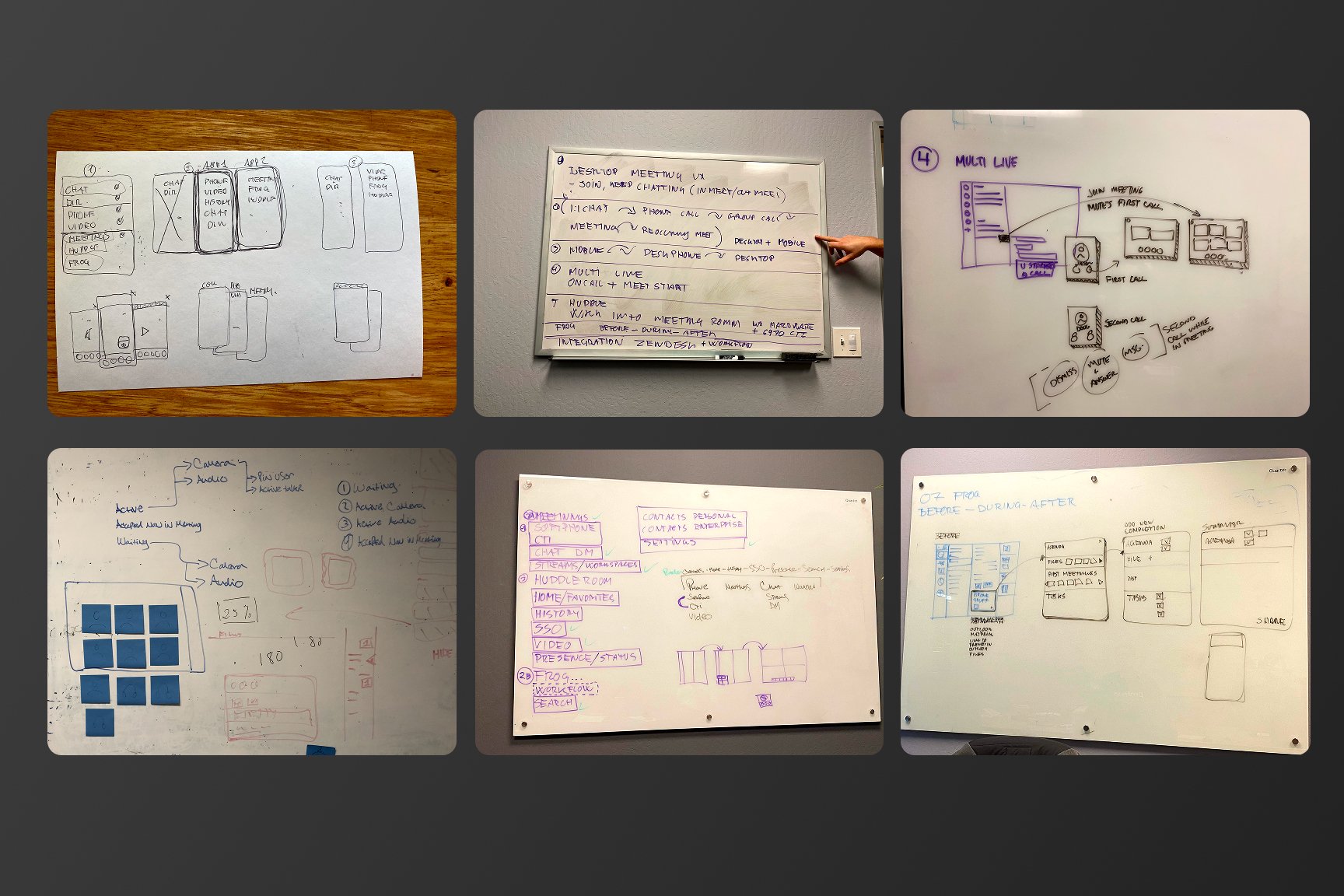
Working with Frog, we used customer interviews, surveys, card sorting, and competitive analysis to understand communication workflows and prioritize product needs. These findings informed the “85% Rule,” a prioritization approach focused on the needs shared by the broadest group of enterprise users.
Personas (admin, agent, IC)
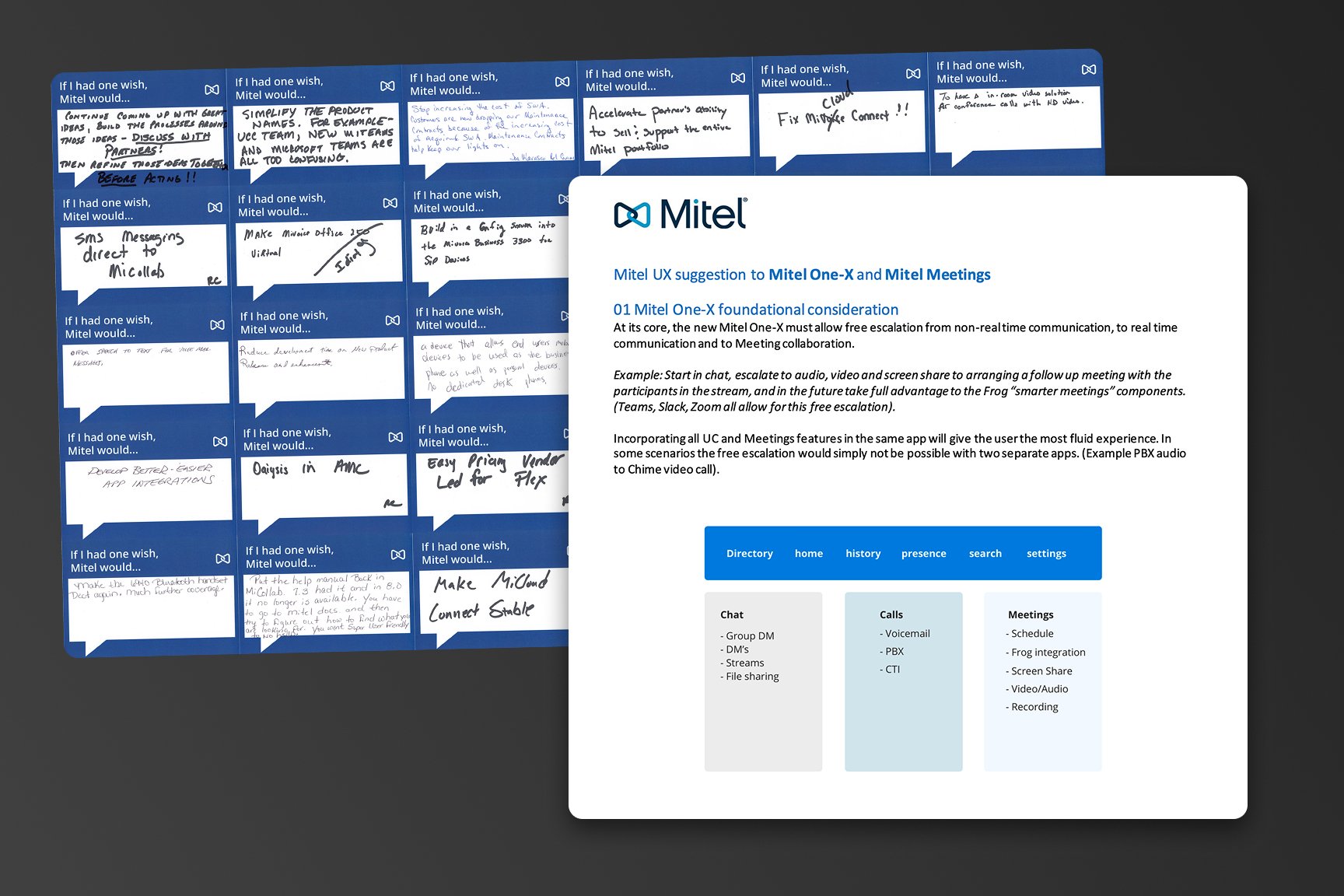
Card sort / feature prioritization
Journey / friction points
System Design Decisions
Modular, widget‑based home
Different orgs are phone‑first vs message‑first. Reorderable widgets let teams tailor the surface while staying in a single product.
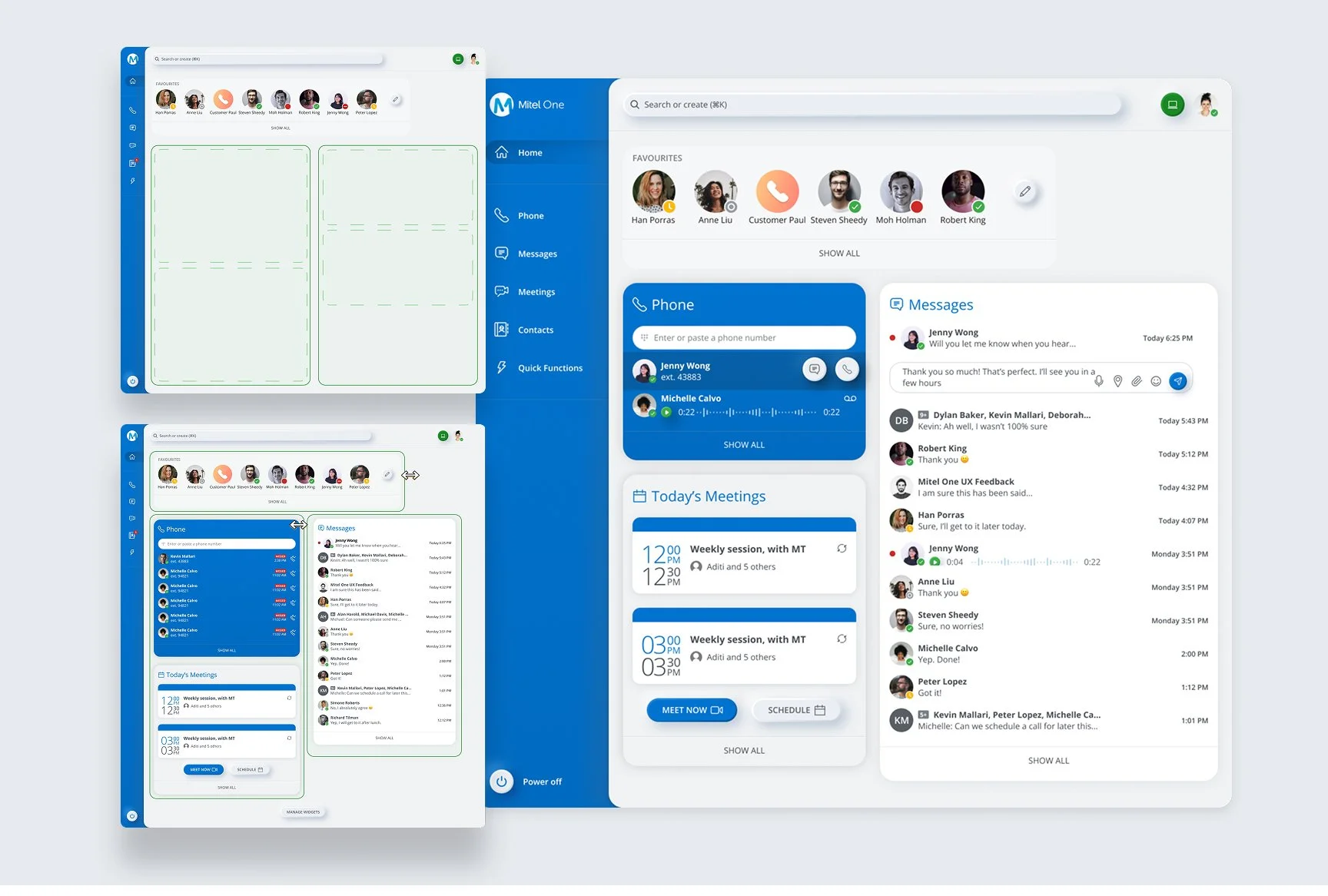
Mobile home with draggable widgets
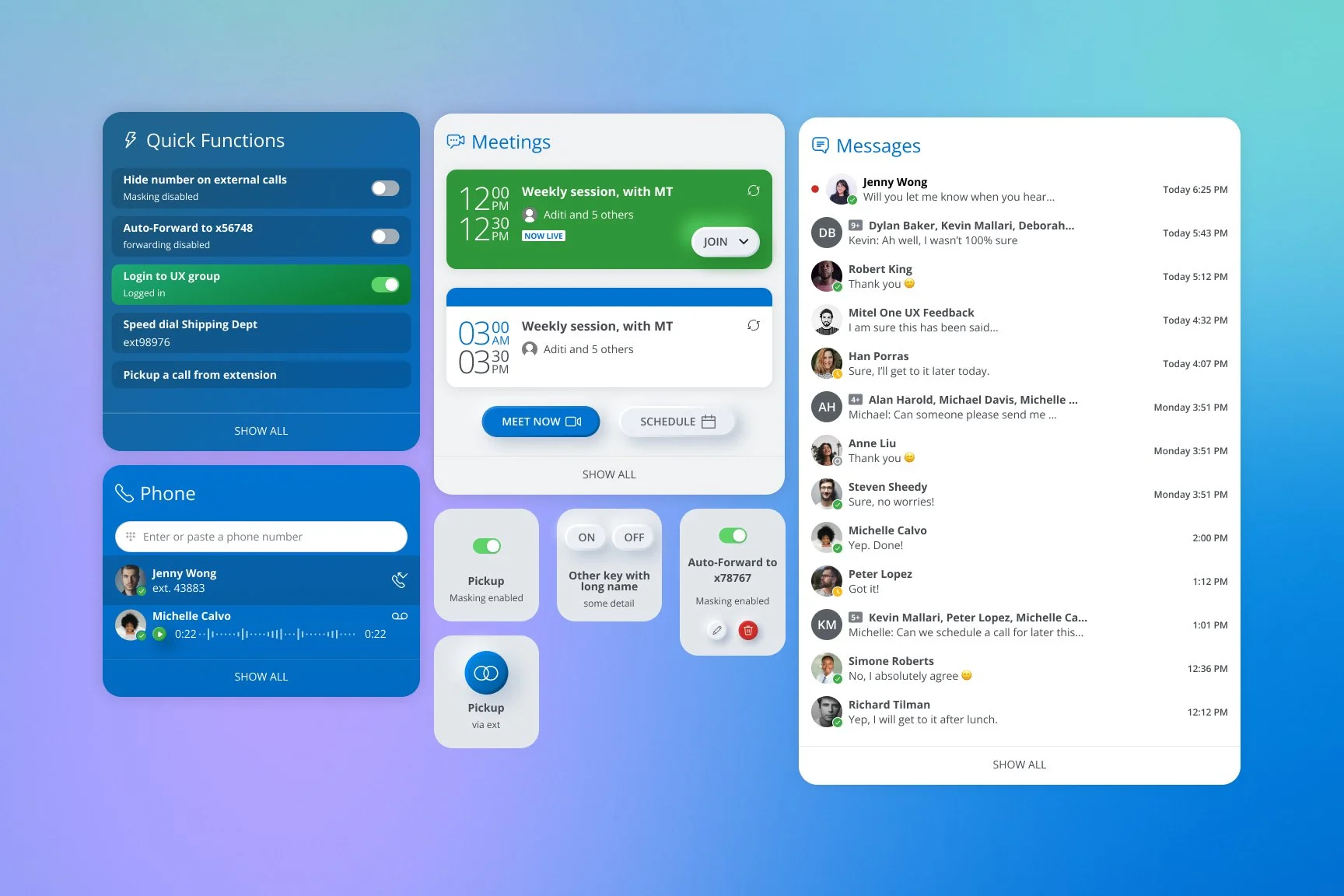
Web layout with prioritized widgets
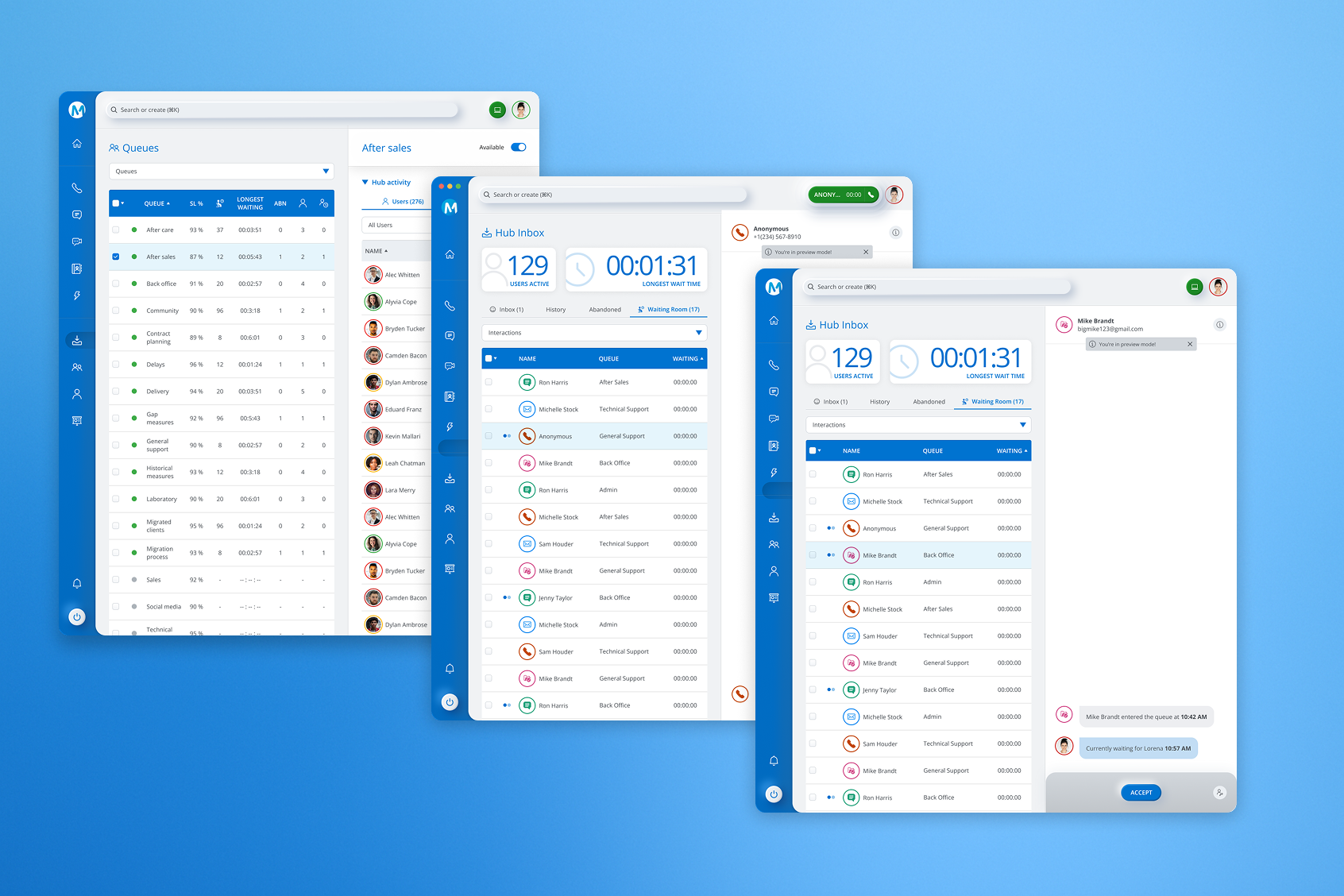
Desktop (high-density)
Escalation as a first‑class pattern
Users jump chat→call→video. Inline actions make escalation immediate without copy‑paste links.
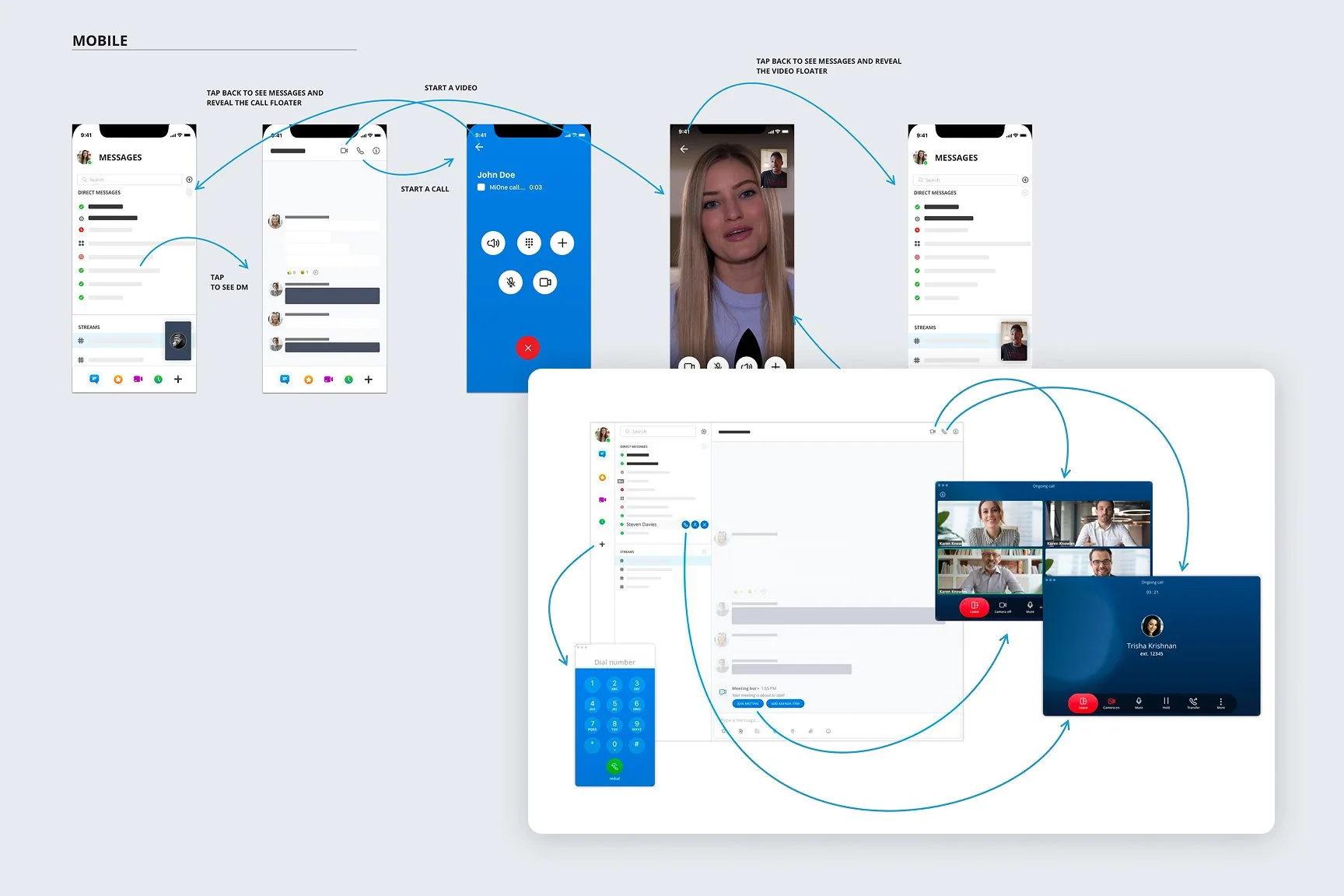
Chat thread with Start Call / Start Video
PWA vs native: pragmatic trade‑offs
Timeline drove PWA. I redesigned notification patterns (call vs meeting vs message) to retain urgency and clarity across OSes.
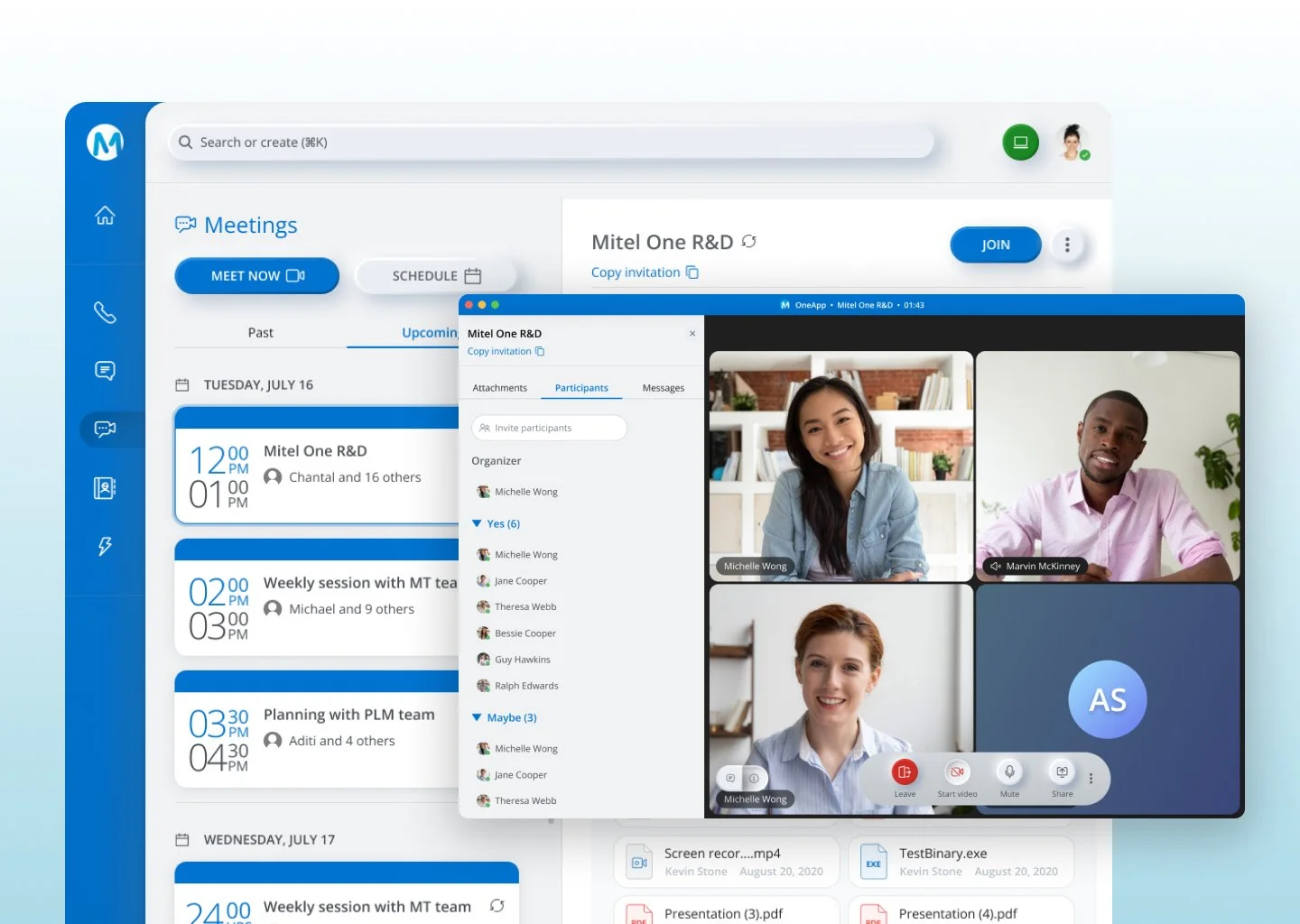
Join Meeting
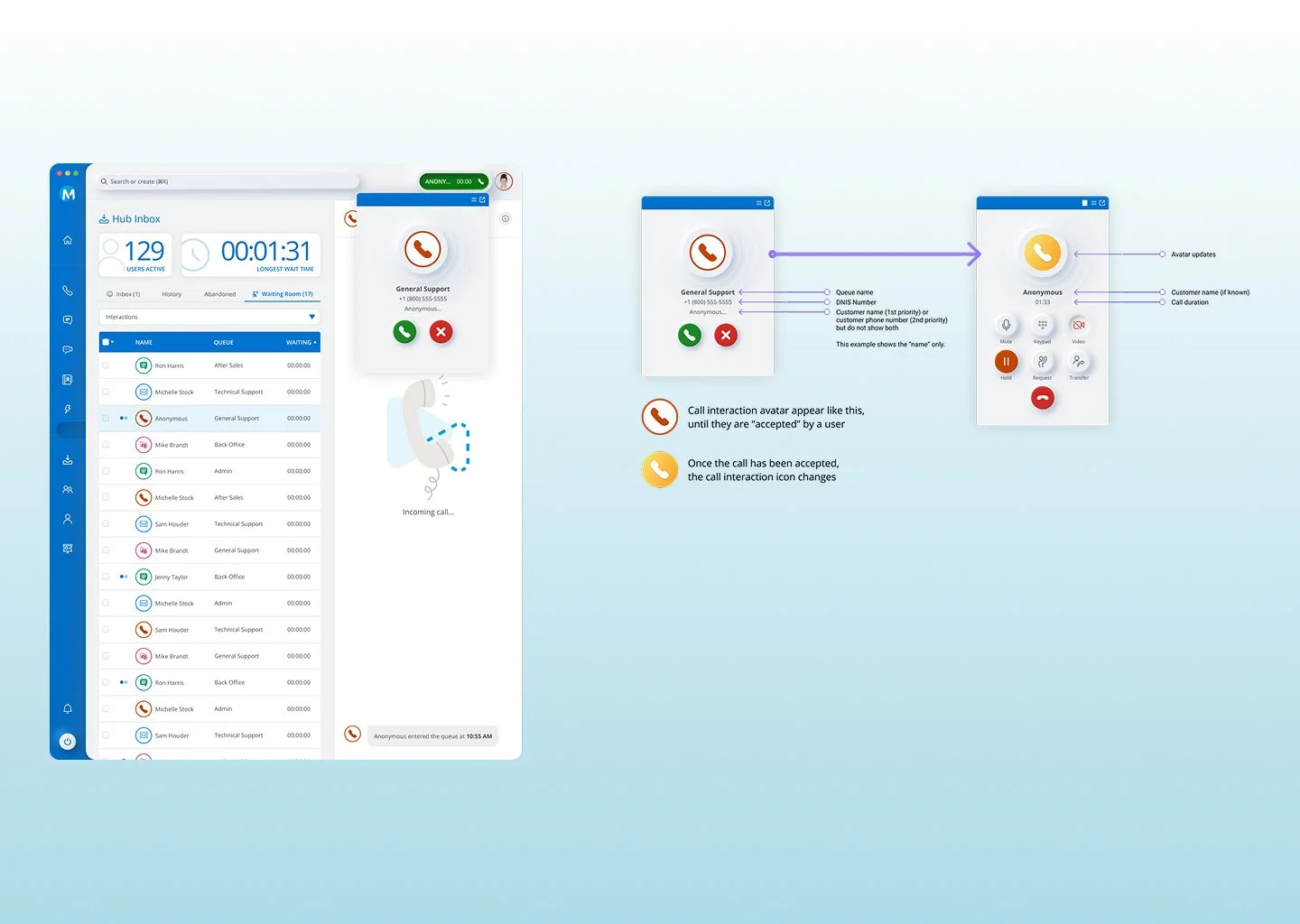
Incoming call toast — Answer / Decline
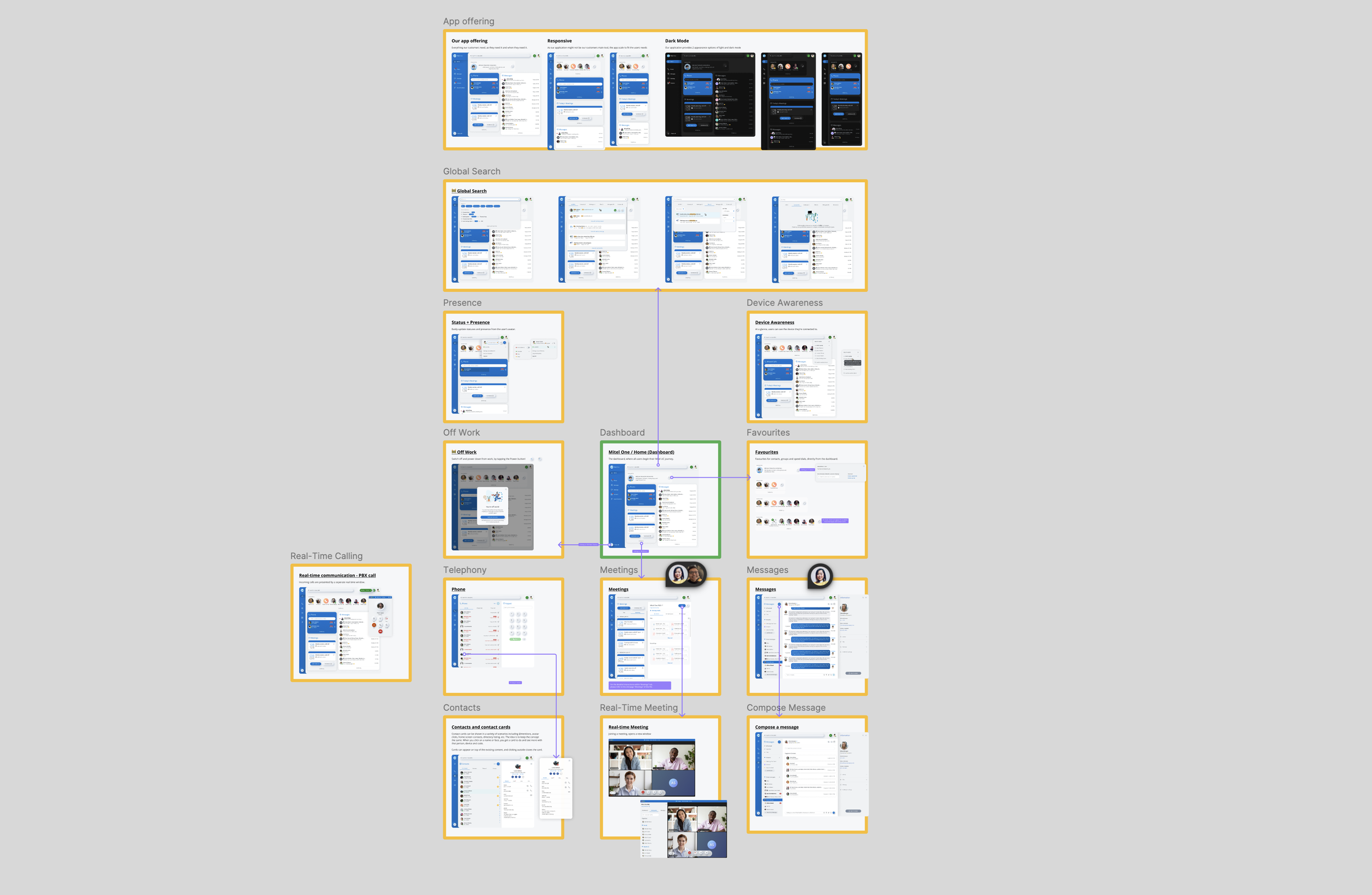
Desktop Interaction
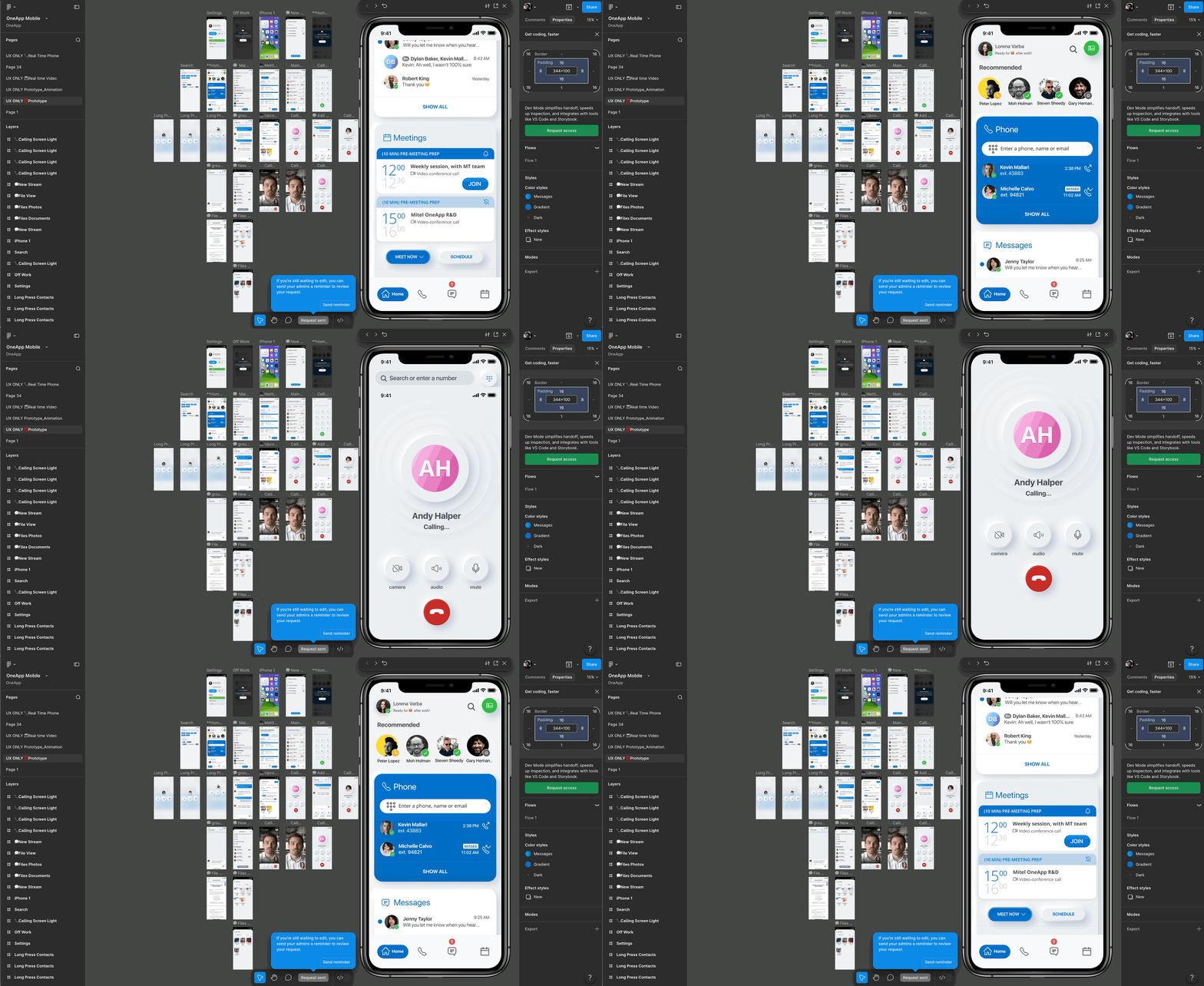
Prototype frames — mobile first
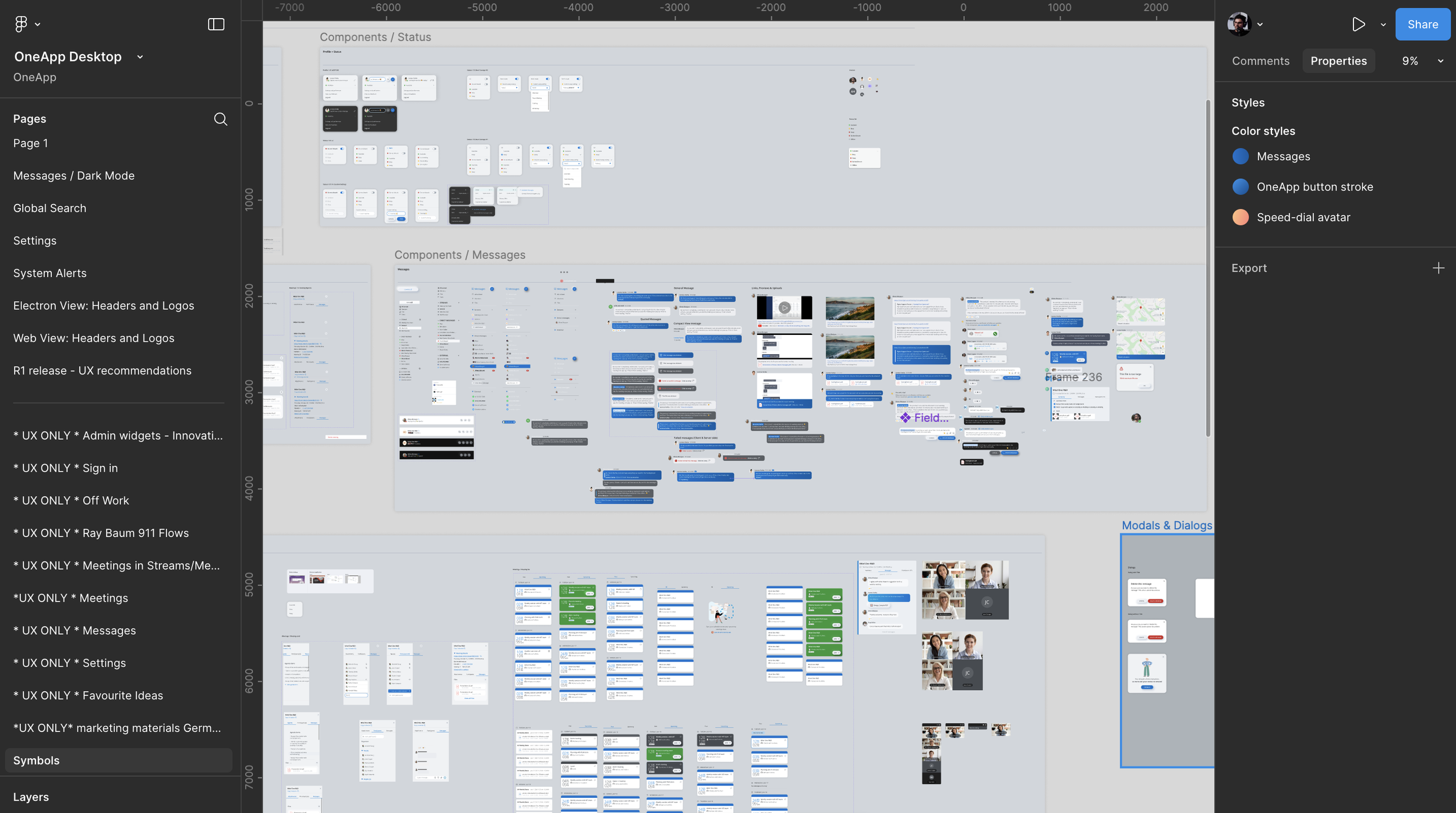
Design Library system and Components
Impact
The work established a unified experience for voice, messaging, and video across platforms. Key design outcomes included configurable home-screen widgets, clearer transitions between communication modes, and consistent notification patterns across devices. The resulting UX direction also supported the product's positioning for enterprise customers with different communication needs.
Quantitative adoption and task-completion results are not included here.
What I’d Improve Next
Run accessibility reviews earlier across notification variants, introduce admin templates for default widget layouts by persona (Contact Center, Sales, Exec), and explore a native desktop shell for deeper OS-level call controls as maturity grows.